


Asset Label Designer
for Freshservice
Design, customize, and print asset labels at any size — compatible with Dymo, Brother, and any label printer.
Built to solve
real problems
Label size locked at 4"x2" minimum
"We need smaller labels for our laptops but Freshservice won't let us go below 4x2 inches."
Print Label lets you set any dimensions — from tiny 1"x0.5" cable tags to full-page asset labels.
Barcode field hardcoded to asset number
"We want to encode serial numbers in barcodes, not just the asset display ID."
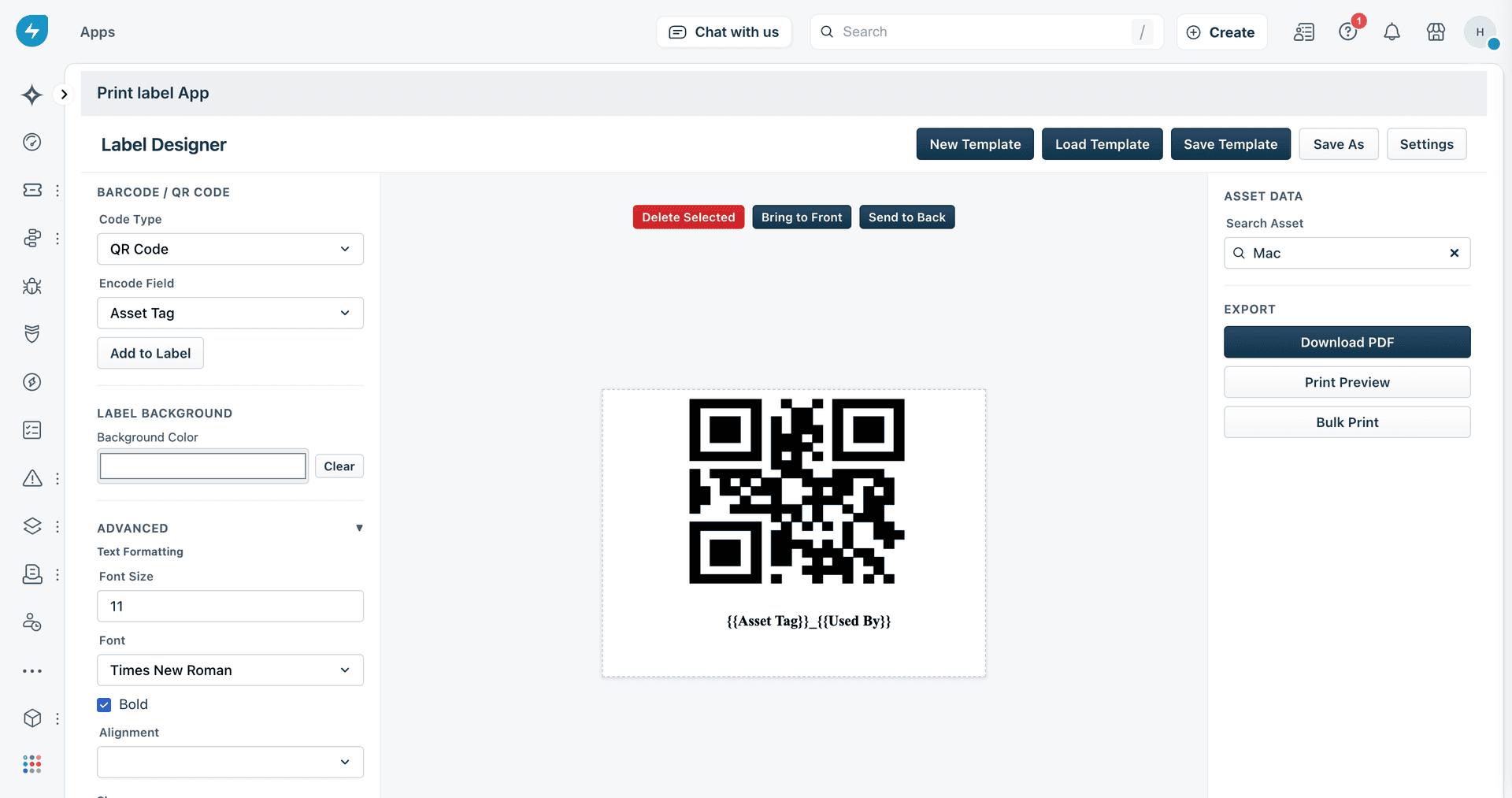
Choose any asset field for your barcode or QR code — serial number, tag, custom fields, or any identifier.
Limited placeholder fields
"We can't add department or location to our labels without manually typing it each time."
Drag any Freshservice asset field onto your label — department, location, vendor, custom fields, and more.
Print scaling breaks on label printers
"Every time we print to our Dymo, the label comes out zoomed in or cut off."
PDF output at exact physical dimensions with 288 DPI — prints perfectly on Dymo, Brother, and any label printer.
Powerful features
that just work
Drag-and-Drop Label Designer
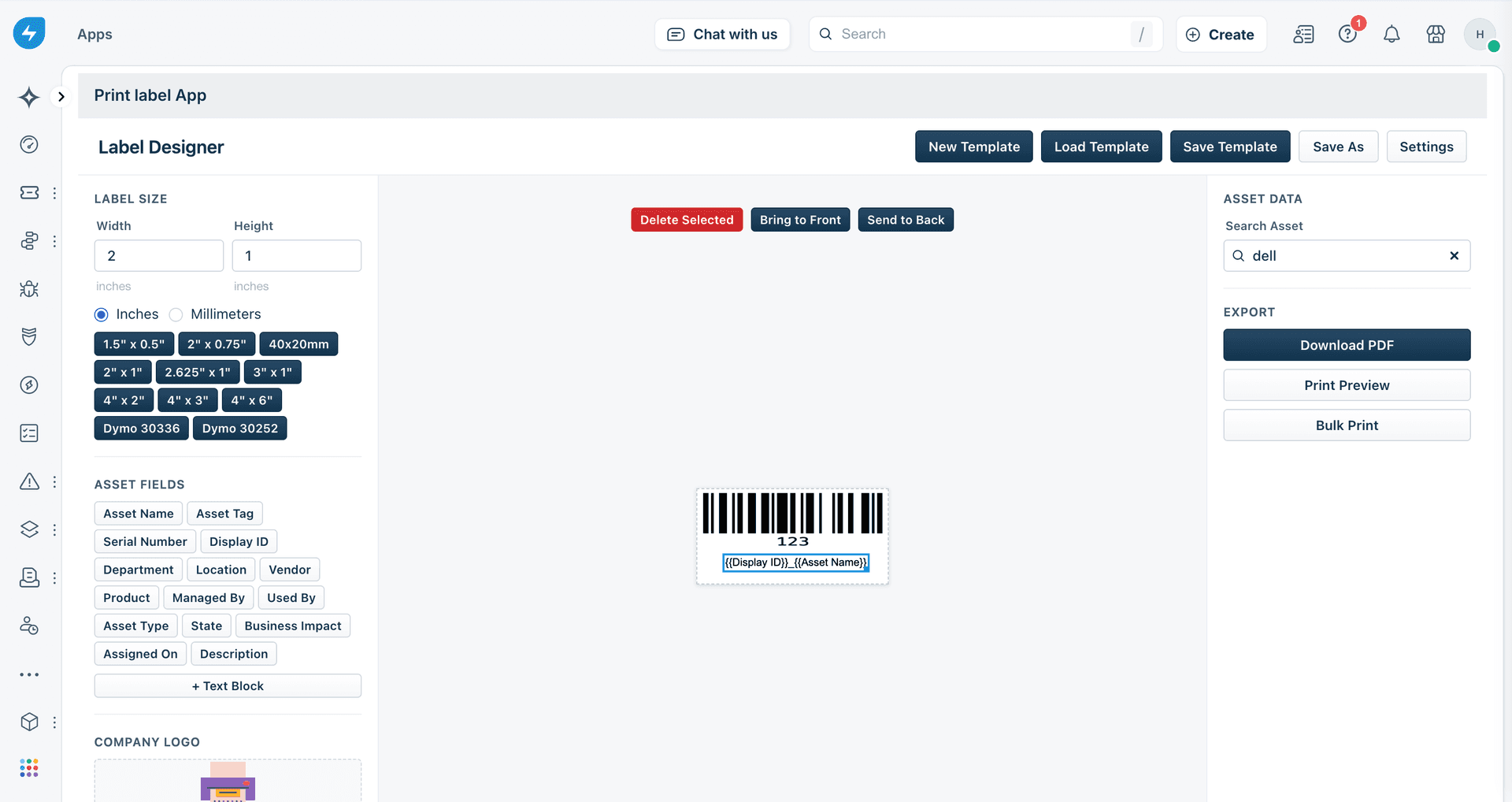
Build labels visually with a canvas-based editor. Set any width and height, drag fields into position, and see a live preview before printing.
- Set custom label dimensions (any width and height)
- Drag-and-drop field placement on canvas
- Live preview with real asset data
- Save and reuse label templates
Get started
in minutes
Install from Freshworks Marketplace
Find Print Label on the Freshworks Marketplace and install it to your Freshservice account. Configure your domain and API key during setup — takes under a minute.
Design Your Label Template
Open the label designer, set your dimensions, and drag asset fields onto the canvas. Add barcodes or QR codes, adjust sizing, and save your template for reuse.
Print from Any Asset Page
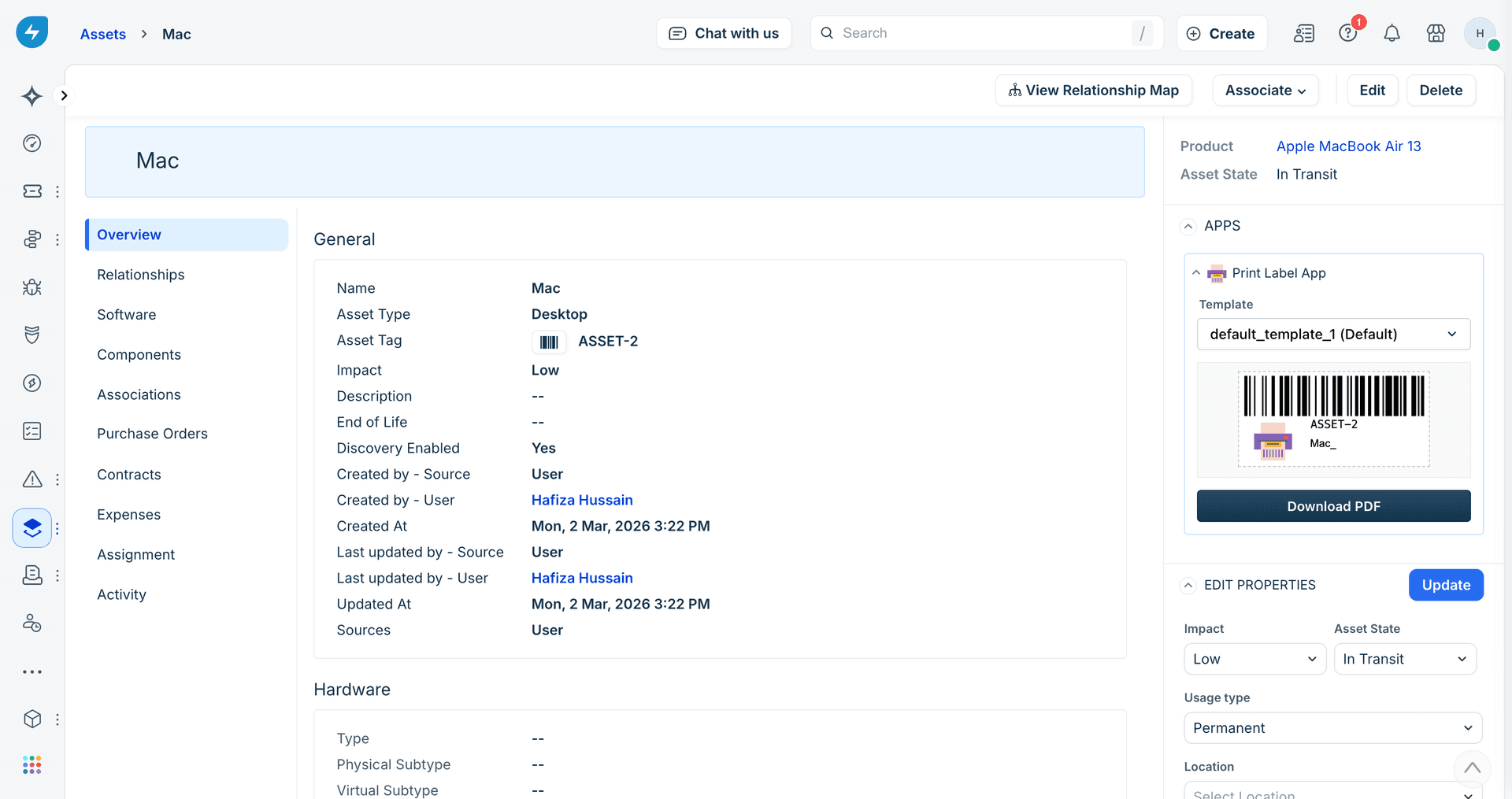
Navigate to any asset in Freshservice and use the sidebar quick-print widget. Select your template, preview the label, and print — two clicks and done.
Built for
IT teams
IT Asset Managers
Track inventory, maintain compliance, and label assets consistently across locations with custom templates.
Helpdesk Technicians
Print labels on the spot during deployments and equipment swaps — no separate label software needed.
Operations Staff
Identify warehouse equipment, server racks, and infrastructure with scannable QR and barcode labels.
Simple, transparent
pricing
Everything included
- Drag-and-drop label designer
- Custom label dimensions (any size)
- Code-128 barcodes & QR codes
- Sidebar quick-print widget
- Bulk print from asset list
- 288 DPI print-ready PDF export
- Works with Dymo, Brother & all printers
- Save & reuse label templates
Frequently asked
questions
Ready to start
labeling?
Install Print Label from the Freshworks Marketplace and start printing professional asset labels in minutes.