


Pipedrive + monday.com Integration
Transform deals into projects automatically. Save 40+ hours per week with intelligent CRM integration.
How it works
Seamless Data Sync
Automatically sync deals from Pipedrive to monday.com projects in real-time.
Real-time automationSmart Automation
Intelligent workflow automation that eliminates manual data entry.
40+ hours saved weeklyProven Success
Trusted by teams using Pipedrive and monday.com, with marketplace verification.
Enterprise-grade reliabilityGet connected in minutes
Connect Your Accounts
Securely link your Pipedrive and monday.com accounts with OAuth authentication. No credentials stored, just secure tokens.
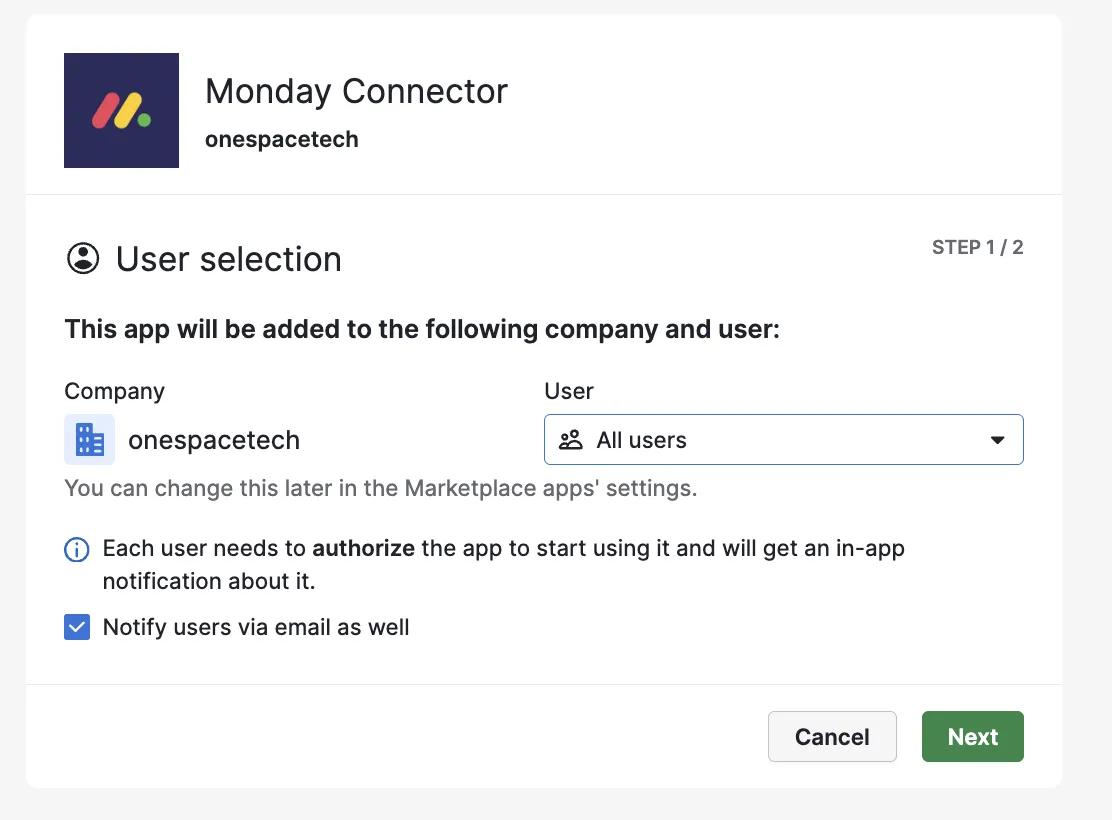
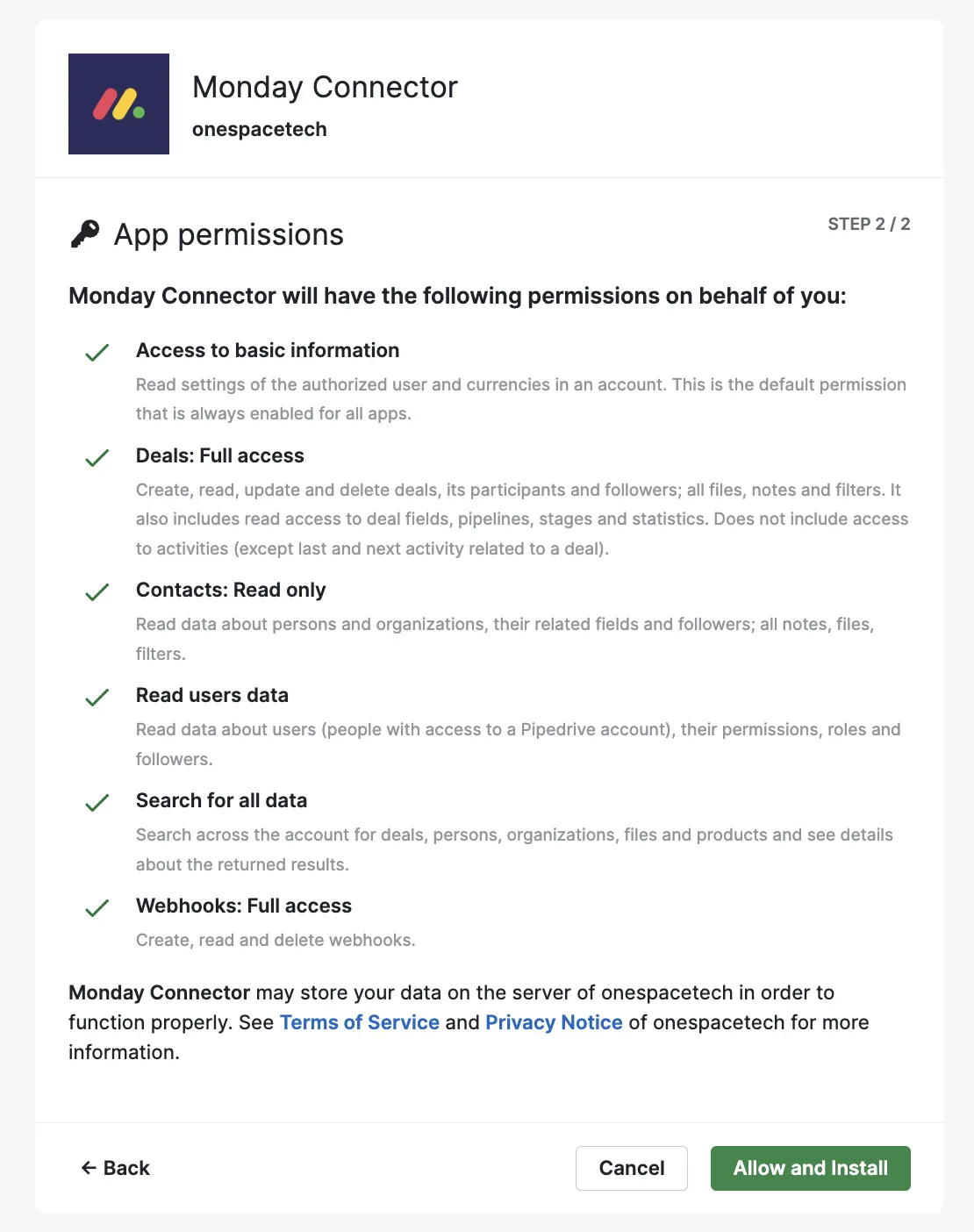
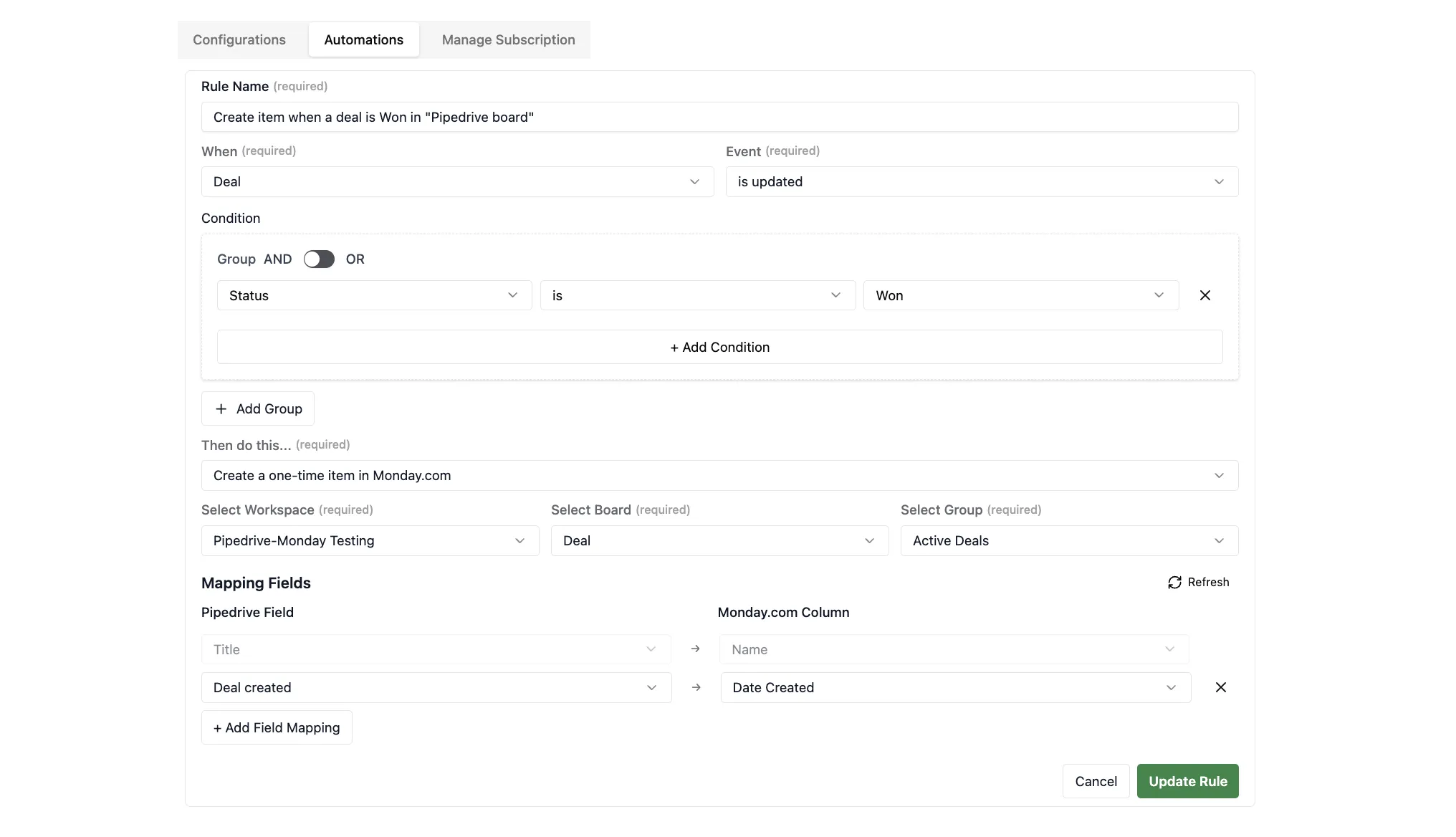
Configure Your Sync
Map your Pipedrive fields to monday.com columns. Choose which deals, contacts, organizations, and notes to sync automatically.
Start Syncing
Activate your integration and watch as deals flow seamlessly between platforms. Monitor sync status in real-time.
Deal View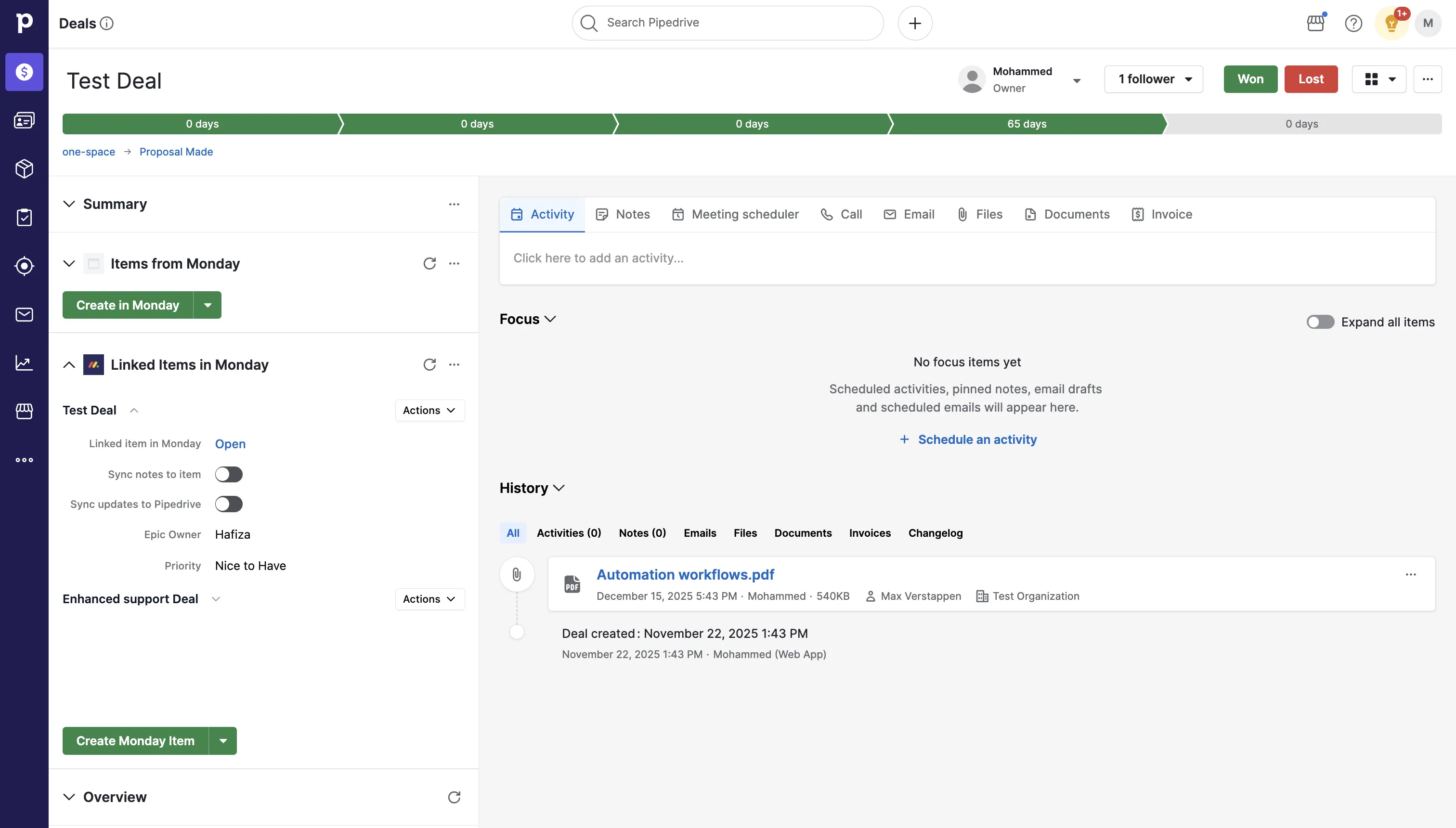 Board View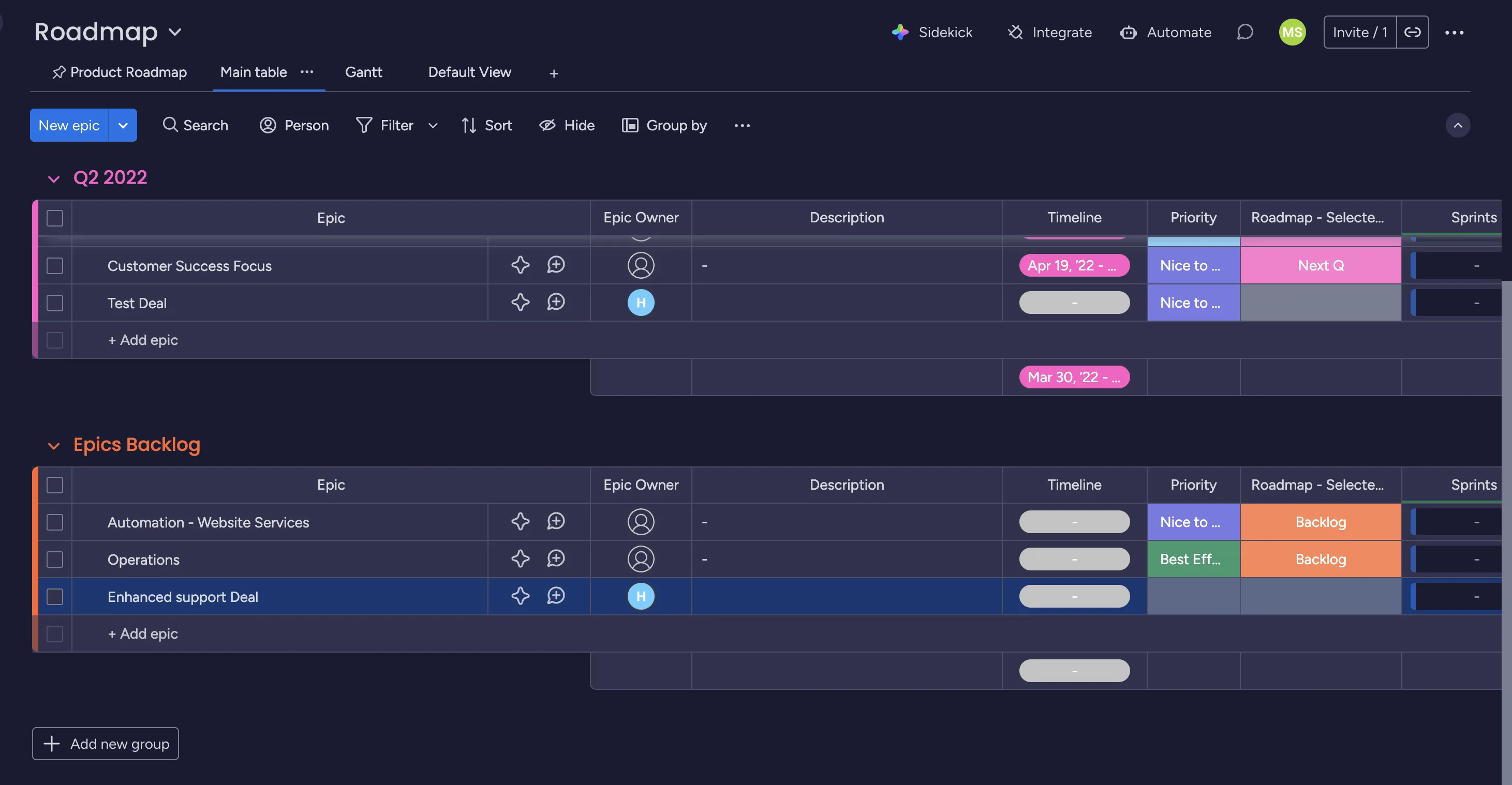
Powerful sync capabilities
Deal Synchronization
When a deal moves to a new stage in Pipedrive, automatically create or update items in monday.com. Keep your sales and project teams aligned with real-time deal status updates.
- Auto-create monday.com items from new Pipedrive deals
- Sync deal stage changes bidirectionally
- Map custom fields between platforms
- Track deal value and expected close date
Frequently asked questions
Ready to get started?
Choose the plan for your team and start saving 40+ hours per week with intelligent automation.